How to Make an NPC Dialogue System in Roblox Studio with AI
An NPC dialogue system in Roblox Studio is the code and GUI that let players talk to characters: who says what, which choices appear, and what happens after each answer. Most tutorials build a tree of fixed lines. This guide compares the three ways to do it, then shows how to add AI replies from Neocortex without giving up the authored choices your quests depend on.
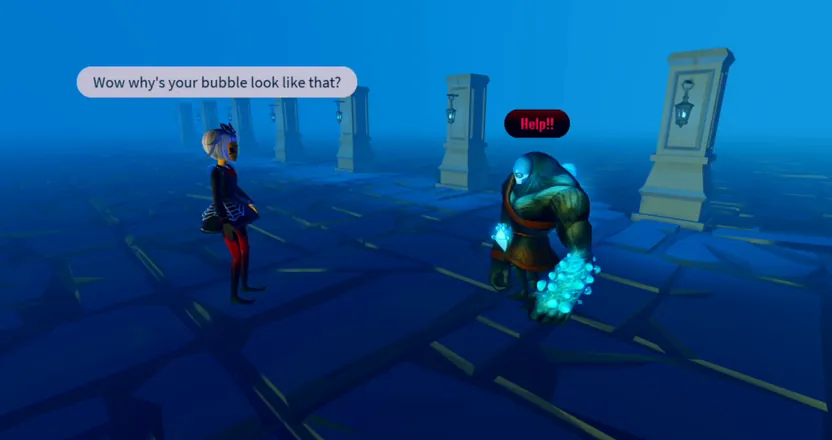 Image: Roblox © Roblox Corporation
Three ways to make NPC dialogue in Roblox Studio
The built-in Dialog object
Put a Dialog object inside the NPC's head and add DialogChoice objects under it. Each choice has the player's line and the NPC's response, and choices can nest. The DialogChoiceSelected event tells your scripts which option was picked, so a choice can open a shop or start a quest.
It takes five minutes and no code. The menu looks the same in every game, though, and every line has to be written in advance.
A custom dialogue tree
Most Roblox dialogue tutorials build this. The lines live in a ModuleScript as a table of nodes, each with the NPC's text and a list of choices that point to other nodes. A ScreenGui shows the text with a typewriter effect, a portrait and buttons. You control the look completely, and it scales to long conversations.
The limit is the same: players can only say what you wrote for them. Ask the blacksmith anything off the list and there is no answer.
AI replies
The player types anything, a server Script sends it to an AI character, and the reply is written for that exact question. Neocortex characters have a personality, a knowledge base with your lore, and actions your game can run, so the blacksmith answers as the blacksmith. The Roblox AI NPC guide covers the setup: Allow HTTP Requests, the secrets store and the server script that calls the API.
The best of both: choices plus "say anything"
You don't have to pick one. The dialogue system that works best in practice keeps your tree and adds AI around it:
- Buttons for the beats that matter. "Accept the quest", "Pay the toll" and "Buy" stay as authored choices, so the story and the economy can't drift.
- A text box for everything else. Under the buttons, a "Say something..." field sends free text to the character. Players ask about the lore, joke, argue, and get real answers.
- Buttons that talk to the AI too. A choice like "Ask about the storm" can send a fixed message to Neocortex, so even scripted options get fresh wording each time.
- Fallback lines in the tree. If a request fails, the tree's canned line plays instead.
What comes back from Neocortex
Each request to /v3/chat returns a sessionId and a list of messages. That is everything your dialogue GUI needs:
| Field | What it holds | What your system does with it |
|---|---|---|
messages[].name | The speaking character | Sets the name and portrait |
messages[].lines[].text | The reply, one or more lines | Filters it, then types it out |
messages[].lines[].emotion | HAPPY, ANNOYED, SCARED and more | Picks a portrait or an animation |
messages[].actions | Actions like GIVE_ITEM with a targetId | Runs them after a server check |
messages[].flowState | A checkpoint keyword from a Conversation Flow | Advances the quest |
sessionId | The conversation so far | Saved per player to resume next time |
Routing replies and actions on the server
This server function takes a reply and turns it into dialogue lines and game events. It only runs actions from a list you allow, and it filters every line for the one player in the conversation:
local ALLOWED = { OPEN_GATE = true, GIVE_ITEM = true, START_QUEST = true }

local function handleReply(player, npc, data)
	for _, message in data.messages do
		for _, line in message.lines do
			local ok, result = pcall(TextService.FilterStringAsync, TextService, line.text, player.UserId)
			if ok then
				local text = result:GetNonChatStringForUserAsync(player.UserId)
				DialogueLine:FireClient(player, message.name, text, line.emotion)
			end
		end
		for _, action in message.actions or {} do
			if ALLOWED[action.name] then
				runAction(player, npc, action.name, action.targetId) -- your own game code
			end
		end
		if message.flowState and message.flowState ~= "" then
			onCheckpoint(player, npc, message.flowState) -- your quest code
		end
	end
end
GetNonChatStringForUserAsync filters for one player, which fits a private dialogue window. For a bubble everyone nearby can see, use GetNonChatStringForBroadcastAsync instead.
Keep the story on track with Conversation Flows
Free conversation is fun until the quest giver forgets to give the quest. A Conversation Flow in the Neocortex editor sets the steps a scene should pass through, like greet, explain the missing ship, offer the reward, and returns a flowState keyword at each checkpoint. Your quest code listens for those keywords, so the player can wander off topic and the scene still reaches the reward.
Make the dialogue window feel good
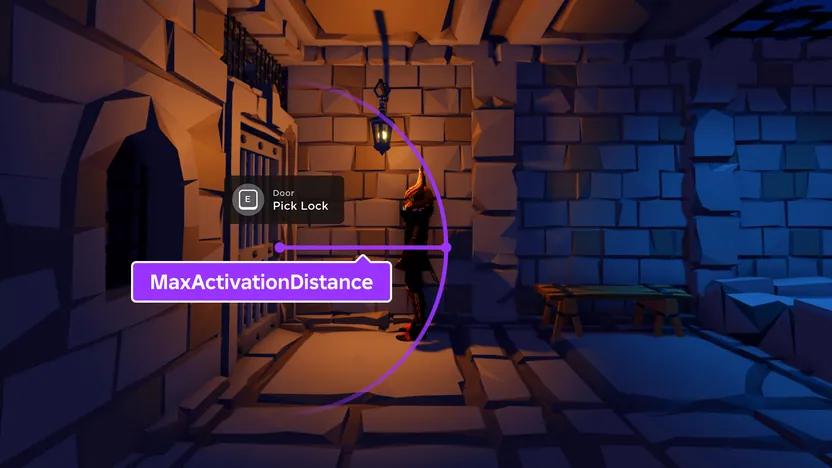 Image: Roblox © Roblox Corporation
- Typewriter text. Reveal the filtered line a few characters at a time with
MaxVisibleGraphemeson the TextLabel. It also hides the half second the request takes. - Emotion portraits. Keep four or five portraits per NPC and pick one from the emotion tag.
- A thinking state. Show "..." in the window while the request runs, so a slow reply reads as the NPC thinking.
- Close on distance. End the conversation when the player walks away, and save the
sessionIdin a DataStore so it can resume later.
Fallbacks when the AI can't answer
Network calls fail sometimes, and a dialogue system has to survive it:
- Wrap every request in
pcalland checkSuccesson the response. - Set a short
TimeoutonRequestAsync, so a player isn't left staring at "..." for long. - Fall back to the tree. Play the node's canned line and keep the buttons working.
- Add a cooldown of a few seconds per player, which also keeps you well under Roblox's limit of 500 HTTP requests per minute per server.
- Cap the message length before sending, so a pasted wall of text costs nothing.
Getting started with your Roblox dialogue system
- Build the GUI first: name, portrait, text, a few buttons and a text box.
- Write the tree for the beats that must happen, in a ModuleScript.
- Design the character in Neocortex, with a Conversation Flow for the scene and the actions it may return.
- Add the server script from the Roblox AI NPC guide and route replies through
handleReply. - Connect the text box to a RemoteEvent, and give the buttons fixed messages or tree nodes.
- Playtest the failure path by turning off HTTP requests and checking the fallback lines play.
Filtering and fair use
Roblox makes developers filter any text they don't control, and it removes experiences that skip filtering, so every AI line goes through TextService before it reaches the GUI. Tell players the NPC is an AI. The free plan covers building and testing for personal projects; a game that earns Robux is commercial use, which needs the Pro plan (€29 a month) or Team.
The bottom line
Keep the tree for what must happen, and let Neocortex handle everything players actually want to say. For more ideas, read smart NPC ideas for Roblox. If you are building beyond Roblox, AI NPCs vs Yarn Spinner, Ink and articy:draft compares AI with dialogue tools for other engines, and AI quest giver NPCs goes deeper on keeping story beats intact.
Checked October 2026. Neocortex is not affiliated with Roblox Corporation.
Frequently Asked Questions
How do you make an NPC dialogue system in Roblox Studio?
There are three ways: the built-in Dialog object for simple click-to-talk menus, a custom tree in a ModuleScript with your own GUI, or AI replies from a server Script. With Neocortex you can combine the last two, so authored choices and free typing share one dialogue window.
What is the Dialog object in Roblox?
Dialog is a built-in object you put inside an NPC's head, with DialogChoice objects under it for the player's options. It gives you a menu without code but a fixed look. Neocortex replies can feed a custom GUI instead, where players can also type their own questions.
Can players type their own answers to a Roblox NPC?
Yes, if the NPC is backed by an AI character. The client sends the typed text to the server through a RemoteEvent, the server calls Neocortex and filters the reply, and the player sees an answer written for exactly what they asked.
How do I stop an AI NPC from breaking my quest?
Keep the quest-critical steps as buttons, give the character a Conversation Flow that returns checkpoint keywords, and only run actions from a list your server allows. Neocortex characters talk freely, but your game code still decides what actually happens.
What happens if the AI service doesn't answer?
Wrap the request in pcall, set a short timeout and fall back to a canned line from your dialogue tree. The conversation keeps going, and the next request tries Neocortex again.
Written by
Neocortex
Date
Oct 29, 2026
Updated
Oct 29, 2026
Read time
8 min