Neocortex Logo

Godot SDK

AI NPCs for Godot 4

Most AI character platforms skip Godot. Our open-source Godot SDK brings characters that talk, listen, feel and act to your Godot 4 project, straight from GDScript.

  • Free plan
  • No credit card
  • Unity, Unreal, Godot, Web SDK and Web API
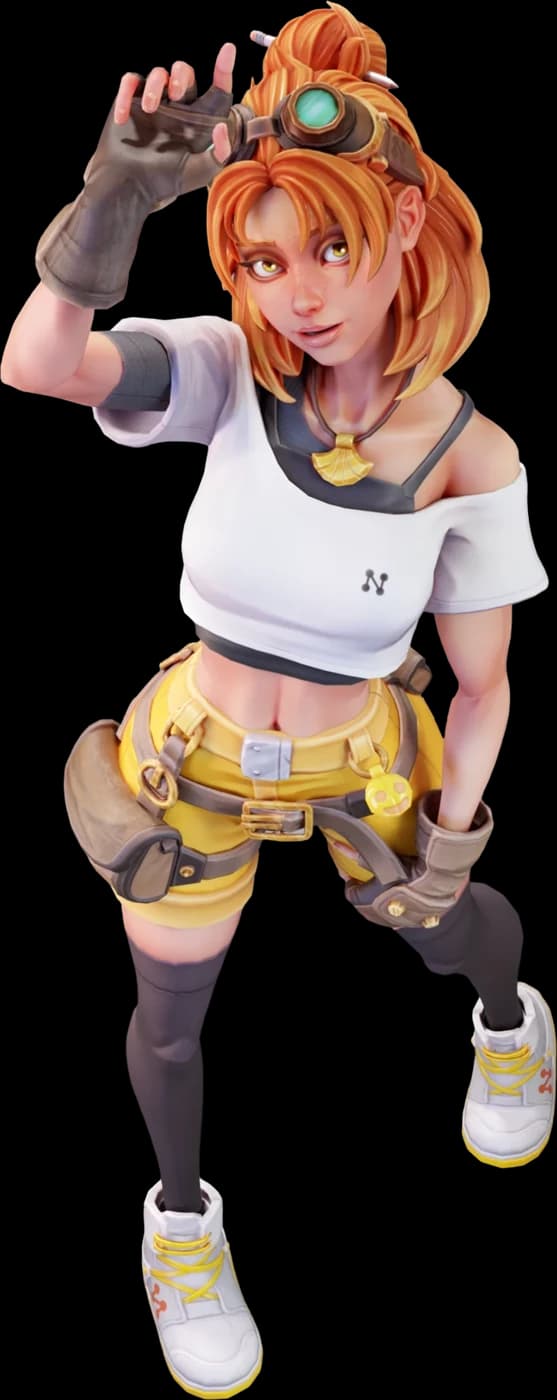
Cora, the Neocortex AI character, waving hello

Powered by Industry Leaders

CDG Booster ProgramTehnopol AI AcceleratorNvidia Inception ProgramMicrosoft Partner | Microsoft for StartupsAWS Partner | AWS StartupsCloudflare Startup ProgramFal AI Startup ProgramElevenLabs Grants

Get started

From zero to a talking character in Godot

  1. 1

    Design your character

    Build personality, knowledge, voice and actions in the visual editor, and test it in the browser.

  2. 2

    Add the addon

    Download the latest release from GitHub, copy addons/neocortex-godot-sdk into your project and enable Neocortex in Project Settings > Plugins.

  3. 3

    Talk to it

    Paste your API key in the Neocortex dock, then add a Complete Voice Chat from Project > Tools > Neocortex and pick your character.

Requirements

  • Godot 4.7 or later
  • A Neocortex account and API key
Read the Godot docs

What you get

Built for Godot developers

01

Voice in, voice out

The player talks into the microphone with voice detection or push to talk, and every line comes back voiced in its own emotion.

02

Actions and perception

Characters see the objects you mark and trigger your GDScript handlers, each action with a target.

03

Lip sync

NeocortexFaceAnimator moves ARKit-style mouth blend shapes as the character speaks.

04

Group chats and quizzes

Several characters in one conversation, or a character hosting a quiz for up to four players.

05

Editor tools

A Neocortex dock, one-click chat scenes, character dropdowns in the Inspector and a debugger tab.

06

Open source

Apache 2.0 on GitHub, with seven sample scenes. The same character also works in Unity, Unreal and the web.

How it works

Characters you design, not prompts you babysit

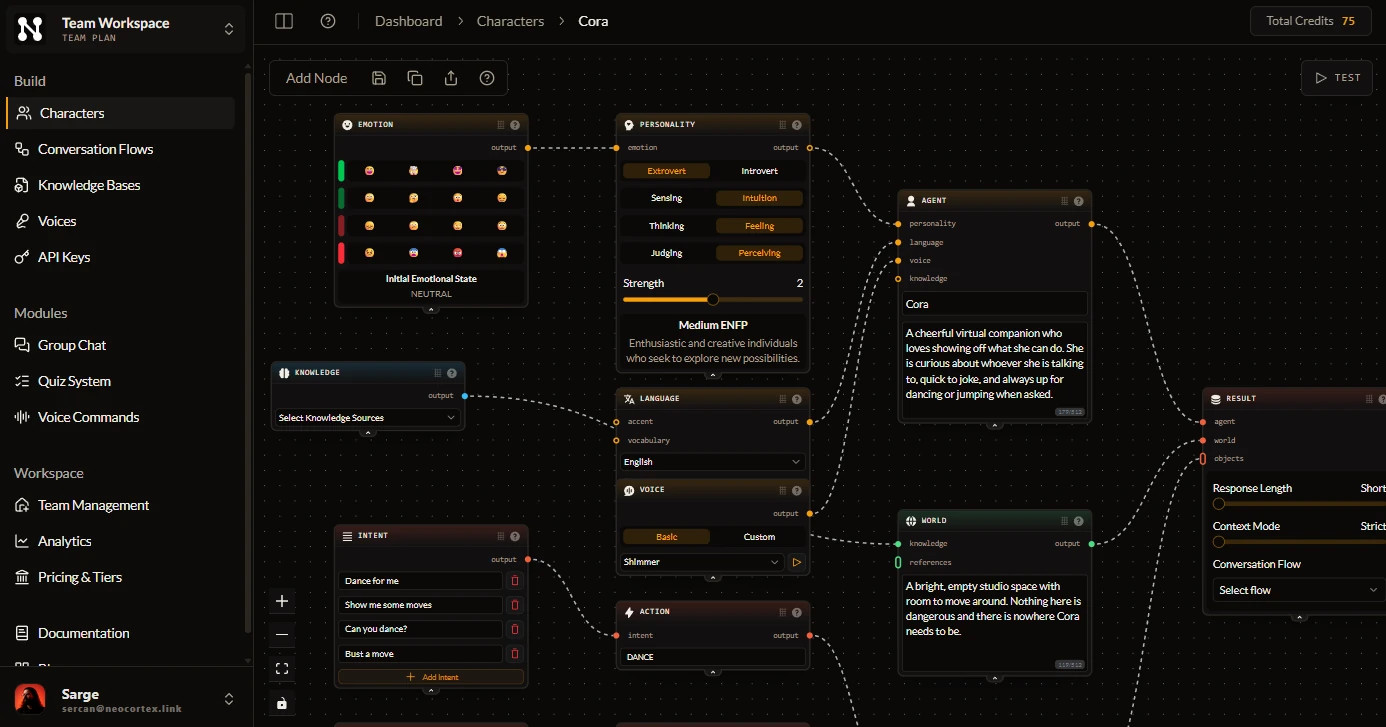
  • Personality, emotion, knowledge and world are nodes you connect, not prompts you rewrite.
  • Intents and actions turn what a player says into something your game does.
  • Test every character in the browser for free before it reaches your engine.
neocortex.link/dashboard/characters
Neocortex visual character editor: emotion, personality, knowledge, language and voice nodes connected to an agent in a world, with intents mapped to in-game actions

What Our Customers Say

Discover what creators are saying about building with Neocortex.

After trying several Smart NPC providers, I came across Neocortex while looking for a stateful conversational AI solution for our Virtual Education platform. Neocortex stood out and topped all our key considerations.

Vallikat Peethamber
Managing Director

Neocortex opened scalable solutions for our VR platform, letting us create scenarios that make training more immersive. Keeping AI agents within clear boundaries is hard, but Neocortex handles it very well and makes customization easy.

Ottó Farkas
IT Specialist / Project Manager

In classroom practice, Neocortex and its action-based mechanism provide students with an out-of-the-box way to bridge conversational agents into software and hardware-based interaction design workflows.

Hongming Li
Lecturer / Instructor

I found out about Neocortex while I was working on my final-year project, and the platform's ease of integration and accessibility enabled me to seamlessly implement smart NPCs in my application. Highly recommend it!

Angela Pellillo
Backend Developer

Neocortex was the first step in bringing LLM-powered NPCs into a real Unity3D prototype, fast-tracking development and growing my TikTok account from 0 to 4000 followers within a month!

Brandan Chen
Associate Game Producer

From idea to playable character in a weekend

Game-jam teams use Neocortex to put talking, acting AI characters into playable games within a single weekend.

Read a game jam story

FAQ

Neocortex for Godot: common questions

Is the Neocortex Godot SDK open source?

Yes. It is on GitHub under the Apache 2.0 license.

Which Godot versions are supported?

Godot 4.7 or later. Copy addons/neocortex-godot-sdk into your project and enable it in Project Settings > Plugins.

Does the Godot SDK support voice?

Yes. Players can type or talk, with voice detection or push to talk, and characters answer in their own voice with an emotion on every line.

Can a Godot character trigger gameplay?

Yes. Add actions to the character in the editor and register a GDScript handler for each one with register_action. Your code decides whether it runs.

Comparing tools?

How Neocortex compares for Godot teams

Try AI characters in Godot

Free plan, no credit card. Build a character in the browser and talk to it in minutes.