Speech-to-Text, LLM, Text-to-Speech: How AI NPC Voice Works
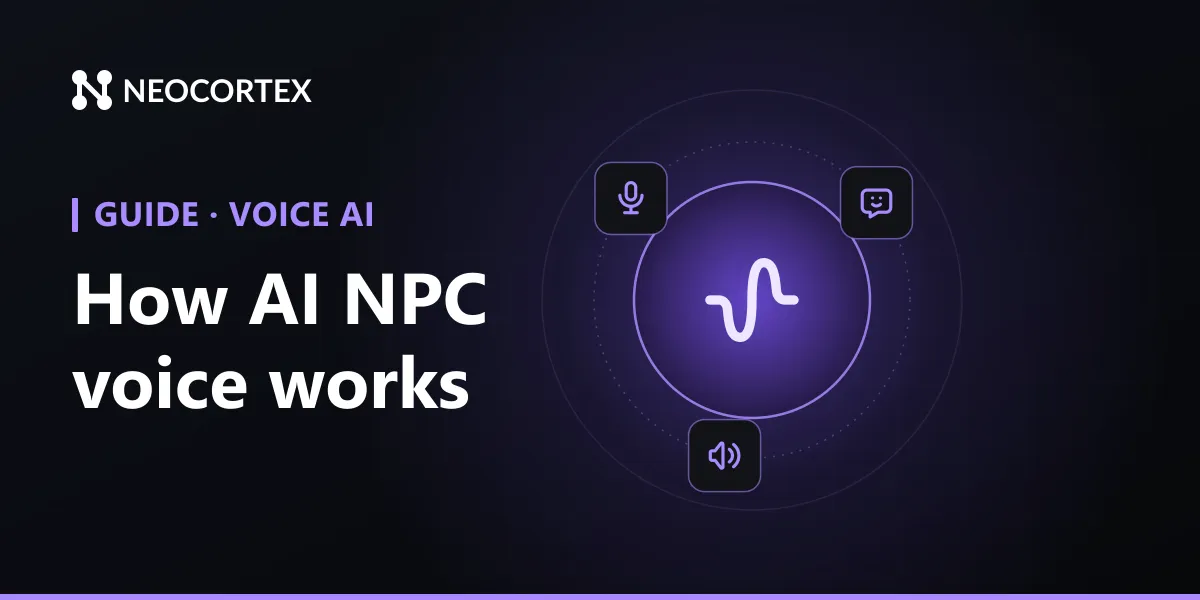
A voiced AI NPC is three models in a row: speech-to-text hears the player, a language model writes the reply, and text-to-speech says it out loud. Every engine tutorial in this series builds on that chain, so this guide explains each part, where the delay comes from, and how Neocortex runs the whole thing behind one character.
The three stages of an AI NPC voice pipeline
1. Speech-to-text (STT): hearing the player
The game records the microphone and sends the audio to a speech recognition model, which returns text. Two choices matter here:
- Push-to-talk or voice detection. Push-to-talk is a button the player holds while speaking. Voice activity detection (VAD) listens all the time and decides when the player started and stopped. Push-to-talk is simpler and never cuts anyone off. VAD feels more natural, especially in VR, but it needs a silence threshold you tune.
- Vocabulary. Speech models stumble on invented names. If your world has a town called Varrowmere, the model may hear "barrel mere". Giving the recognizer a short list of your proper nouns fixes most of it.
2. The language model: writing the reply
The transcript goes to a large language model along with everything that makes the character who they are: personality, what they know, the conversation so far, and what is happening in the game. The model writes the next line.
For a game, plain text is not enough. You also want to know how the character feels, so the face and animation can match, and whether they decided to do something, like open a gate or hand over an item. This is where most do-it-yourself setups get messy, because you end up parsing free text for clues.
3. Text-to-speech (TTS): saying it out loud
The reply text goes to a voice model, which returns audio. Good TTS for characters needs a voice that fits (a gruff smith, a nervous clerk), emotion that follows the line, and support for the languages your players speak.
STT vs TTS: two ends of the same conversation
People often search "STT vs TTS" as if they were alternatives. They are not: STT is the ear and TTS is the mouth.
| Speech-to-text (STT) | Text-to-speech (TTS) | |
|---|---|---|
| Direction | Player's voice to text | Character's text to voice |
| Input | Microphone audio | The reply the LLM wrote |
| What can go wrong | Misheard names, background noise, cut-off sentences | Flat delivery, wrong pronunciation, slow first audio |
| What to tune | Push-to-talk or VAD, silence threshold, vocabulary | Voice choice, emotion, streaming |
A character that only types needs neither. A character players speak to but who answers in text needs STT. A character who speaks scripted lines needs TTS. Open voice conversation needs both, plus the model in the middle.
Where the delay comes from
Players notice a pause of more than about a second. The total wait is roughly:
- Waiting to be sure the player has stopped talking (the VAD silence threshold, or the push-to-talk release).
- Transcribing the audio.
- The model writing its first words.
- The voice model producing its first audio.
Running these one after another, waiting for each to finish completely, is how you get three- or four-second pauses. The fix is streaming: start speaking the first sentence while the rest of the reply is still being written. Our latency guide goes through each stage with numbers.
How Neocortex runs the pipeline
With Neocortex you don't wire three services together. You build a character in the browser editor with its personality, knowledge base, emotions, actions and voice, and the SDK handles the chain:
- Speech-to-text for the player's voice, in more than 20 languages, from one microphone component in Unity, Unreal and Godot. A Vocabulary node lists your world's names, so "Varrowmere" comes through as Varrowmere.
- The reply comes back tagged with an emotion such as
HAPPY,CURIOUSorANNOYED, plus any actions the character chose, so your game never parses free text. - Text-to-speech in the character's own voice. In Unity, Godot and the Web SDK it streams, so the character starts speaking before the whole reply is ready.
If you'd rather call it yourself, the Web API does the same over HTTP. A text turn is one request:
curl -X POST https://api.neocortex.link/v3/chat \
  -H "x-api-key: $NEOCORTEX_API_KEY" \
  -H "Content-Type: application/json" \
  -d '{ "characterIds": ["CHARACTER_ID"], "message": "Is the north road safe?" }'
The reply holds a sessionId and a messages array, where each message has lines (each with text and an emotion), actions and flowState. Send the sessionId back with the next message to continue the conversation.
Choosing what your NPC needs
Not every NPC needs the full chain:
- Background characters can stay on authored barks. No AI needed.
- Quest givers and shopkeepers work well as text chat with TTS, so players type and the character speaks.
- Companions and VR characters benefit most from full voice, because players are already talking out loud or have their hands busy.
- Accessibility. Voice input helps players who find typing hard, and spoken replies help players who find reading hard. Offer both directions as options, not requirements.
Build it in your engine
Each engine guide in this series sets up the same pipeline step by step:
- How to add an AI character to your Unity game, then voice chat for AI NPCs in Unity
- How to add AI NPCs to Unreal Engine 5
- How to add AI NPC dialogue in Godot 4
All of them are collected in our guide to building AI NPCs.
Frequently Asked Questions
What is the difference between STT and TTS?
They run in opposite directions. Speech-to-text (STT) turns the player's voice into text the game can read, and text-to-speech (TTS) turns the character's written reply into audio. A voiced NPC needs both, with a language model in between.
Do I need an LLM for a talking NPC?
Only if the NPC should answer things you didn't script. Pre-recorded lines need no model at all. For open conversation you need STT, an LLM and TTS, and Neocortex runs all three behind one character.
How fast can a voiced AI NPC answer?
The delay is the sum of hearing the player finish, transcribing, writing the first words and speaking them. Streaming each stage into the next is what gets it close to one second. Neocortex voices a reply while it is still being written.
Can I use my own voices for an AI NPC?
Yes. Neocortex has a library of stock voices, and custom voices on the Pro plan (5) and the Team plan (20). Each character keeps its voice in Unity, Unreal, Godot and on the web.
Does voice chat with an AI NPC work offline?
Only if all three models run on the player's device. Neocortex runs in the cloud by default, and studios can arrange an on-device runtime as a Custom plan.
Written by
Neocortex
Date
Nov 5, 2026
Updated
Nov 5, 2026
Read time
8 min