Roblox via Web API
AI NPCs for Roblox
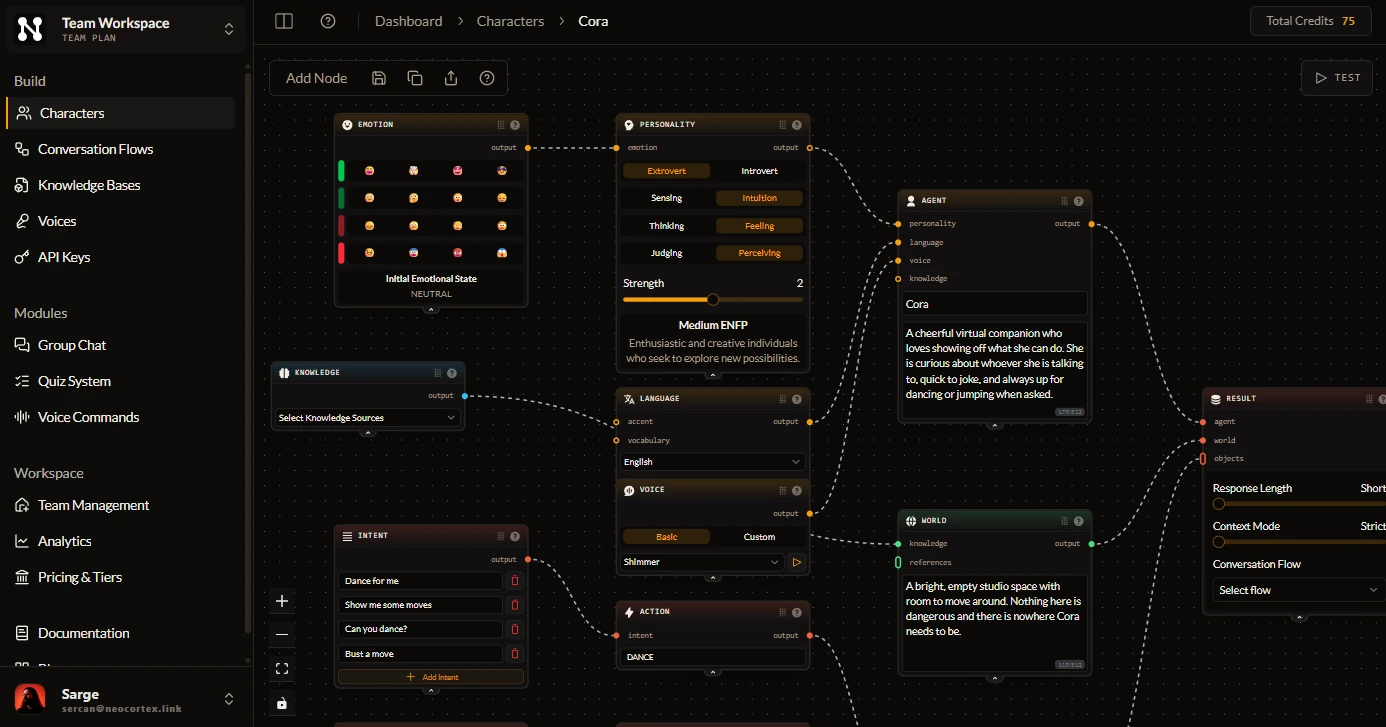
Design a character in the browser, then have a server Script send what players type to the Neocortex Web API over HttpService. There is no plugin to install: the connection is one HTTPS call.
- Free plan
- No credit card
- Unity, Unreal, Godot, Web SDK and Web API

5
ways to integrate
Unity, Unreal, Godot, Web SDK, Web API
20+
languages
set per character
10 s
to clone a voice
or design one from text
€0
to start
free plan and editor testing
Powered by Industry Leaders








Get started
From zero to a talking character in Roblox
What you get
Built for Roblox developers
Nothing to install
No Studio plugin and no package. One server Script makes the call.
Built outside Studio
Personality, lore and actions live in the visual editor, tested in the browser before you write any Luau.
Ready for the text filter
Replies reach your server as text, so you run them through TextService:FilterStringAsync before any player sees them.
Memory per player
Save the returned sessionId per player in a DataStore and the NPC picks up where it left off.
Actions and emotions
Replies carry actions such as OPEN_GATE and an emotion on every line. Your server decides what runs.
Same character everywhere
The character you build also works in Unity, Unreal, Godot and on the web.
Knows what is around
Send nearby parts as entities in metadata, and actions come back with the id of the one they target.
Knows what happened
Send up to 20 recent events per request, each with a priority, such as a player feeding an animal.
Group scenes
Put several character ids in one call and each NPC answers in turn, on a Pro or Team plan.
How it works
Characters you design, not prompts you babysit
- Personality, emotion, knowledge and world are nodes you connect, not prompts you rewrite.
- Intents and actions turn what a player says into something your game does.
- Test every character in the browser for free before it reaches your engine.
What Our Customers Say
Discover what creators are saying about building with Neocortex.

FAQ
Neocortex for Roblox: common questions
Is there a Neocortex plugin for Roblox?
No. A server Script calls the Neocortex Web API with HttpService. There is no Roblox SDK or Studio plugin to install.
Where does the API key go?
In your experience's secrets store on the Creator Hub, for the domain api.neocortex.link. The server Script reads it with HttpService:GetSecret, so it never reaches players.
Do I have to filter AI replies on Roblox?
Yes. Roblox requires filtering any displayed text you do not control. Run every reply through TextService:FilterStringAsync on the server before showing it.
Can Roblox NPCs speak out loud?
Not with live streamed audio, because Roblox only plays audio it hosts. Use Roblox's AudioTextToSpeech, or pre-voiced lines uploaded as audio assets.
How do I stop one Roblox player from using all my credits?
Send the player's UserId as playerId and set a per-player credit limit in the dashboard. Once a player reaches it, the API refuses their calls with HTTP 429 and the code player_credit_limit.
What happens when my credits run out?
The chat call returns HTTP 402 with the code insufficient_credits. Check the usage endpoint first and fall back to scripted lines when its status is empty.
Comparing tools?
How Neocortex compares for Roblox teams
Player2 alternative
With Player2, every player signs in to Player2 and spends their own credits, and NPCs stop answering when those run out. Neocortex keeps your players inside your game.
Inworld AI alternative
Inworld moved its focus to voice and inference for consumer apps and retired Character Studio. Neocortex keeps character design visual, game-first and in your engine.
Convai alternative
Convai's $29 plan stops at 3,000 replies, 75 players a month and one conversation at a time. Neocortex puts no cap on players or simultaneous conversations, for games, VR, XR and training.
Give your Roblox NPC a mind
Free plan, no credit card. Build a character in the browser and talk to it in minutes.