Unity AI: 12 Tools and Plugins to Try in 2026
Unity AI in 2026: Unity's own assistant, generators, Sentis and ML-Agents, plus 7 AI tools and plugins for Unity, with what each does and what it costs.
Neocortex TeamThe team behind Neocortex
· 12 min read
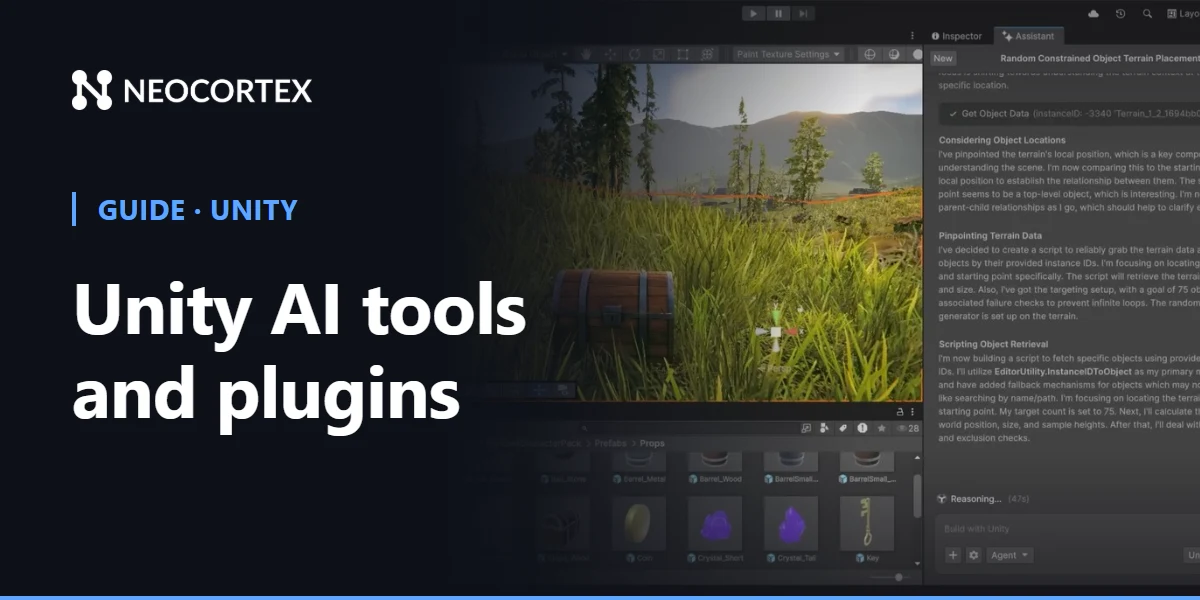
Unity ships five AI tools of its own: an in-editor assistant, a set of asset generators, a free CLI and MCP server for coding agents, the Sentis inference library and the ML-Agents toolkit. Everything else people call "Unity AI" is a package or SDK from another company that runs inside a Unity project.
This post is for Unity developers who want to know which AI tools exist for the engine today and what each one is for. It lists twelve: Unity's five first, then seven from other makers, including Neocortex, which is our own product. Each entry says what the tool does in a Unity project, where it falls short and what it costs. Every fact was read on the maker's own page in November 2026. AI features change quickly, so check the linked page before you commit.
Best AI tools for Unity
The first five entries are made by Unity. The rest install into a Unity project from a git URL, the Package Manager or the Asset Store.
1. Unity's in-editor assistant
Best for: Unity developers who want help with code, errors and repetitive editor tasks without leaving the editor.
Unity's assistant opens from the AI menu in the editor toolbar. Unity's manual says it gives "generative AI-powered guidance" and that you use it to generate code, troubleshoot issues and automate repetitive tasks. Unity's product page describes it as "Editor integrated. Project aware." It runs on third-party models, and you can pick between several.
It needs Unity 6000.0.76f1, or Unity 6.3 (6000.3) and later, and the project must be linked to a Unity Cloud project. Unity also has an AI gateway that connects a verified third-party agent you already pay for, and that use does not spend Unity credits.
The tools are in beta under Unity's terms for evaluation versions. Unity is also retiring the "Unity AI" brand name and now calls them "Unity's AI tools". The older Unity Muse is deprecated.
Pricing: Included in Unity Pro, Enterprise and Industry subscriptions. On Unity Personal you start a free trial, which converts to a $10 a month subscription. The assistant spends credits, and Unity's page does not list credit amounts. See Unity's AI tools and our Unity pricing post for the plans.
2. Unity Generators
Best for: prototyping art, sound and motion before an artist makes the final version.
The generators live under Generate New in the same AI menu. Unity's manual lists six: Sprite, Texture2D, Sound, Animation, Material and Terrain Layer. Each one makes a Unity asset from a prompt, so the result lands in the project as a normal file.
Assets made this way carry embedded metadata that marks them as AI-generated. An organization can switch the generators off in the Unity Dashboard and keep the assistant on, which matters for studios with rules about generated art.
Pricing: Part of Unity's AI tools; Unity's pages list no separate price for the generators. See the AI menu documentation.
3. Unity CLI, MCP server and official plugin
Best for: developers who already use a coding agent and want it to control the Unity Editor.
The Unity CLI controls Unity from a terminal. The MCP server, run through the CLI, lets an MCP-capable agent work with your project. The official plugin bundles Unity engineering skills, the CLI and the MCP server for coding agents; Unity's page names Claude Code, Codex and Grok.
All three need Unity 6 or later. You bring your own agent and its subscription.
Pricing: Free, with no concurrency limits and no Unity credits, per Unity's AI tools page.
4. Sentis
Best for: running a trained neural network inside the game, on the player's device.
Sentis is Unity's neural network inference library. You import a trained model and run it in real time on the CPU or GPU, in the editor or in a built game. It reads most ONNX models with an opset between 7 and 25, and the manual also lists LiteRT and PyTorch exported programs. Unity says it supports "all Unity-supported platforms", with performance that depends on the model and the hardware.
The package is com.unity.ai.inference, version 2.6.1 when we read it. Its display name changed from Inference Engine back to Sentis in version 2.4, so both names turn up in tutorials. You bring the model; Sentis does not include one.
Pricing: Unity's manual states no separate price. See the Sentis manual.
5. ML-Agents
Best for: training agents by trial and error in a Unity scene.
ML-Agents lets "games and simulations serve as environments for training intelligent agents". The Unity package sets up the scene, and the training algorithms live in a companion Python package. Once an agent is trained, its behavior runs in the scene through Sentis.
It is open source under the Apache 2.0 licence. The package documentation covers version 4.2.0. It trains behavior; it does not write dialogue or make assets.
Pricing: Open source on GitHub, with no price stated.
6. Neocortex
Best for: NPCs that players can talk to by voice or text, designed in a browser instead of in code.
Neocortex is our product. You build a character in a web node editor (personality, emotion, knowledge, intents, actions and voice) and test it in the browser. The Unity SDK then talks to that character from your game.
The SDK installs from a git URL in the Package Manager and needs Unity 6 (6000.0) or later. Add the Neocortex Smart Agent component to a GameObject, pick a character and press Play. Replies come back with an emotion on each line, actions that trigger game code, voice in and out, and awareness of objects you mark as Interactable. Six sample scenes cover text chat, voice chat, actions, interactables, group chat and usage gating. For prototyping, a separate package runs open models locally through Ollama, as text chat only.
The characters run in our cloud, so the game needs an internet connection. Custom voices and group chat need the Pro or Team plan, and so does commercial use.
Pricing: Starter is €9, Pro €29 and Team €99 a month billed yearly (€11, €35 and €119 billed monthly). See AI NPCs for Unity, or get started.
7. Convai Unity SDK
Best for: teams that want conversational characters with lip sync from a hosted service.
Convai's Unity SDK adds a ConvaiManager, ConvaiCharacter and ConvaiPlayer to the scene, with sample scenes, a scene validator, hands-free or push-to-talk voice and lip sync. You create the character in Convai's dashboard and use its Character ID.
It needs Unity 6; Unity 2022 and 2023 are not supported. An internet connection is required in the editor and at runtime. Convai's docs cover microphone permissions for Android, iOS and WebGL.
Pricing: Free at $0 for 100 interactions a month, then Indie Dev $29 a month ($22 billed yearly) up to Business and Enterprise. See Convai pricing.
8. Inworld Unity AI Runtime SDK
Best for: developers who want to assemble their own character pipeline from Inworld's voice and model APIs.
Inworld retired its Character Studio. Its Unity AI Runtime SDK now gives "the components you need to build AI characters directly in your Unity project", with a Character template, a step-by-step guide and a demo that combines a language model, text to speech and speech to text.
Inworld's main products today are voice and inference APIs, and games are one of several markets it serves.
Pricing: On-Demand at $0, pay as you go, then Creator $25 a month up to Growth $1,500 a month and Enterprise. See Inworld pricing.
9. ElevenLabs Agents Unity SDK
Best for: voice agents in desktop or browser builds.
ElevenLabs' Unity SDK puts "voice agents in Unity scenes for desktop and WebGL builds". The agent handles speech recognition, the language model, speech and turn-taking on ElevenLabs' side.
The pages we read name only desktop and WebGL for Unity. They show no character personality editor or lip sync.
Pricing: Free at $0 with 15 minutes, Starter $6 a month with 75 minutes, up to Business and Enterprise. See ElevenLabs Agents pricing.
10. LLM for Unity (LLMUnity)
Best for: characters that run a language model on the player's device, with no server cost.
LLMUnity runs language models inside a Unity build through llama.cpp. You add an LLM component, download a model or point it at a .gguf file, then add an LLMAgent with a system prompt. It includes a retrieval system for your own text, and it runs on PC, mobile and VR. Android needs IL2CPP and ARM64.
The model runs on the player's hardware, so small devices need small models. The page mentions no voice input, speech or lip sync.
Pricing: Free under Apache 2.0, including commercial use. See LLMUnity on GitHub.
11. Dialogue System Addon for OpenAI
Best for: writers already using Pixel Crushers' Dialogue System for Unity.
The add-on uses your own OpenAI key to "create and update dialogue content at edit time", and to revise and translate text. Runtime generation from player text is optional, so you can keep it in the editor and pay nothing to OpenAI during play. It also voices lines through ElevenLabs, DeepVoice AI, Overtone or OpenAI, makes portraits, and runs open models through Ollama.
It needs Dialogue System for Unity 2.2.58 or later, which is a separate purchase. The Asset Store lists Unity 2022.3 and Unity 6.
Pricing: €41.40 on the Asset Store as shown to us, plus Dialogue System for Unity at €87.40 and your OpenAI usage. Our guide to AI NPCs in Dialogue System for Unity walks through it.
12. Player2
Best for: free indie and jam projects whose players are happy to run a companion app.
Player2 offers a Unity asset that talks to local APIs for a language model, speech and memory. Those APIs come from the Player2 desktop app, so the player needs the app open while playing.
That requirement shapes where it fits: a desktop game whose players install Player2, rather than a mobile, WebGL or console release.
Pricing: Free for creators, per Player2 for creators. Player plan prices are not on the pages we read.
Unity AI tools side by side
| Tool | Job | Made by | Price (read November 2026) |
|---|---|---|---|
| In-editor assistant | Code, troubleshooting, editor tasks | Unity | In Pro and above; $10 a month on Personal after a trial |
| Generators | Sprites, textures, sound, animation, materials, terrain layers | Unity | Not listed separately |
| CLI, MCP server, plugin | Lets your coding agent control the editor | Unity | Free |
| Sentis | Runs neural networks in the game | Unity | No price stated |
| ML-Agents | Trains agents in scenes | Unity | Open source |
| Neocortex | Talking NPCs with voice and actions | Neocortex | From €9 a month |
| Convai Unity SDK | Talking NPCs with lip sync | Convai | From $0; Indie Dev $29 a month |
| Inworld Unity AI Runtime SDK | Character components on Inworld APIs | Inworld | From $0, pay as you go |
| ElevenLabs Agents Unity SDK | Voice agents, desktop and WebGL | ElevenLabs | From $0; Starter $6 a month |
| LLMUnity | Local language models in the build | undream ai | Free |
| Dialogue System Addon for OpenAI | Writes and voices dialogue | Pixel Crushers | €41.40 plus the base asset |
| Player2 | Local AI APIs through a companion app | Elefant AI | Free for creators |
Picking the right AI tool for your Unity workflow
Choose by the job, not by the brand.
- Writing code and fixing errors: Unity's assistant, or your own coding agent through the free MCP server.
- Placeholder art and sound: Unity Generators.
- Running your own trained model: Sentis, with ML-Agents if you train by reinforcement.
- NPCs players talk to: Neocortex, Convai or Inworld for hosted characters; LLMUnity if the model must run on the device. If you are choosing between them, our list of AI NPC tools for Unity goes deeper.
- Scripted dialogue with AI help: the Dialogue System add-on.
Start with one tool per job. Two systems that both answer the player's words will compete for the same input.
Common questions about using AI in Unity
Does Unity have AI built in?
Yes. Unity 6 has an AI menu with an assistant and six generators, Sentis runs neural networks in games, and ML-Agents trains agents. The assistant and generators are in beta.
Is Unity's AI free?
Partly. The CLI, MCP server and official plugin are free. The assistant is included in Pro, Enterprise and Industry, and on Personal it is a free trial that converts to $10 a month.
What happened to Unity Muse?
Unity calls Muse "a deprecated product offering". Its replacements are the assistant and generators, which use third-party models.
Can I run a language model offline in a Unity game?
Yes, with LLMUnity, which runs GGUF models through llama.cpp on PC, mobile and VR. Sentis runs ONNX models, but its manual does not describe language models. Neocortex runs open models through Ollama for text prototyping only.
Which Unity version do I need?
Unity's AI menu needs 6000.0.76f1 or 6.3 and later. Neocortex and Convai need Unity 6. LLMUnity is tested back to 2021 LTS. Our Unity vs Unreal Engine comparison covers the engine choice itself.