GTA 5 AI NPC Mod: Talking Pedestrians and Voice Commands
It is 3 a.m., you walk into a 24/7 with two wanted stars and a pistol in your hand, and the clerk says the same line he says to everyone. A GTA 5 AI NPC mod fixes that moment: clerks, strangers and passengers who answer what you actually say and react to what you just did. Neocortex gives your Script Hook V mod AI characters with voices, actions and emotions, plus on-device voice commands, so you can build it in story mode without running your own language model.
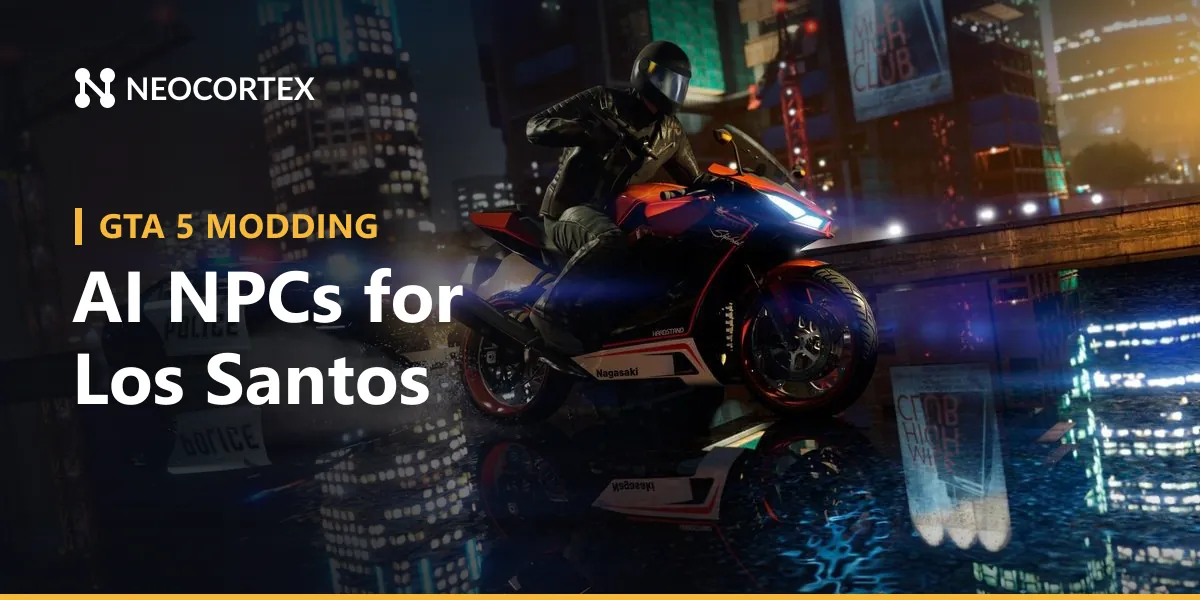
 Screenshot: Grand Theft Auto V Enhanced © Rockstar Games
The GTA 5 AI NPC mod stack at a glance
GTA 5 single-player mods run as native plugins loaded by Script Hook V, which loads .asi plugins and gives them access to the game's native functions. Its July 2026 release lists supported patches for both GTA V Legacy and GTA V Enhanced. Most script mods are then written in C# on a .NET layer:
| Tool | What it gives you | Edition |
|---|---|---|
| ScriptHookVDotNet 3 (SHVDN) | The standard .NET script host. Current game patches need the nightly builds rather than the last stable release. | Legacy |
| ScriptHookVDotNetEnhanced | An extended SHVDN, so scripts built for Legacy can run on Enhanced as they are | Legacy and Enhanced |
| LemonUI | NativeUI-style menus for SHVDN 3 scripts, useful for a settings screen or a "talk to" prompt | Both |
Check each project's notes for which builds your script targets.
A script is a compiled C# class in the scripts folder with a Tick handler that runs every frame. From there you read the player, nearby peds, vehicles and wanted level through SHVDN's API, and you can do anything .NET Framework can do: HttpClient for web requests, an audio library such as NAudio for voice playback, and SHVDN's ScriptSettings for an .ini file. Subtitles go on screen with GTA.UI.Screen.ShowSubtitle, and LemonUI handles menus.
From a game event to a spoken reply
Every feature in this post runs on the same loop. The script reads game state, sends it with the player's line to a Neocortex character (/v3/chat), shows the reply as subtitles, plays the voice from /v3/audio/generate or /v3/audio/stream, and runs any actions the character returns. Run web requests off the game thread and hand results back to Tick so the game never stalls.
A minimal chat call from an SHVDN script:
static readonly HttpClient Http = new HttpClient();

static async Task<string> AskCharacter(string apiKey, string characterId, string sessionId, string line, string gameEvent)
{
    var body = JsonConvert.SerializeObject(new {
        characterIds = new[] { characterId },
        message = line,
        playerId = "player-1",
        sessionId = sessionId,
        events = new[] { new { priority = 1, content = gameEvent } }
    });
    var req = new HttpRequestMessage(HttpMethod.Post, "https://api.neocortex.link/v3/chat");
    req.Headers.Add("x-api-key", apiKey); // read from the mod's .ini, never hard-coded
    req.Content = new StringContent(body, Encoding.UTF8, "application/json");
    var res = await Http.SendAsync(req);
    return await res.Content.ReadAsStringAsync(); // sessionId, messages[].lines, actions
}
Keep the returned sessionId and send it with the next message so the character remembers the conversation.
Three more pieces sit on top of that loop:
- Conversation Flows steer a longer encounter through beats you design and return checkpoint keywords (
flowState) your script reacts to, for example handing the player a waypoint once the stranger trusts them. - The quiz engine runs question sets, scoring and leaderboards through
/v3/quiz. - On-device voice commands turn spoken phrases into game actions with no cloud round trip. Neocortex Voice Commands runs on the player's machine, and you design the command set in the dashboard as actors, actions and objects (actor "dispatcher", action "send", object "taxi"). Push-to-talk or always listening, in multiple languages.
What to build in Los Santos
The clerk who notices. Back to that 24/7: your script sends the clerk character a short list of events ("player has 2 wanted stars", "player is holding a pistol", "police sirens nearby") with the player's line. The clerk answers in character, with an emotion tag your mod can turn into an animation, and can return an action like { "name": "OPEN_REGISTER" } or { "name": "CALL_POLICE" } that your script runs. The same pattern covers a street vendor on Vespucci Beach or a jogger in Mirror Park: one character per archetype, each with its own personality and knowledge of the neighbourhood.
A passenger with opinions about your driving. Stream events from the drive: near misses, red lights run, 190 km/h on the Senora Freeway, the third crash in a minute. The companion comments, laughs, complains and asks to get out when you scare them, and actions such as CHANGE_STATION or GET_OUT let them do something about it. On Pro and Team plans, group chat puts up to six characters in one conversation, so two passengers can argue about the route while you drive.
Voice commands. The player just talks: "call me a cab", "call for backup", "next station", "turn the radio off and set a waypoint home". Your script receives the matched commands and runs them, several per sentence if needed.
A radio trivia host. For long drives, build an original radio host character who runs a Los Santos trivia quiz through the quiz engine (Team plan). The player answers out loud, speech-to-text turns it into text, and the API keeps score.
 Screenshot: Grand Theft Auto V Enhanced © Rockstar Games
Story mode only
Rockstar's PC single-player mods policy says Take-Two generally will not act against single-player, non-commercial mods that respect third-party IP, and it excludes online services, new stories, missions and maps. Rockstar's newer Mod Guidelines cover all its games and go further:
- Leave Rockstar's story alone. Do not expand or modify its storylines, missions or characters. No new dialogue for Michael, Franklin or Trevor.
- Leave Rockstar's voices alone. Do not modify or reuse its voiceover performances. Give each AI character an original Neocortex voice designed from a text description, or one you have the rights to, never a clone of a Rockstar voice actor.
- Multiplayer runs through Rockstar's Creator Platform and nowhere else, and any mod outside that platform must stay strictly non-commercial.
The guidelines also say they are not a license, so they describe what Rockstar tolerates rather than grant rights. So build ambient conversations, companions, voice commands and quizzes with original characters, not new story missions. GTA Online must never be modded: keep the mod in story mode, keep it free, and have each player use their own Neocortex API key.
Next steps
- Install Script Hook V and a .NET script host for your edition: SHVDN nightly for Legacy, ScriptHookVDotNetEnhanced for Enhanced. Add LemonUI if you want menus.
- Design your character in the Neocortex visual editor: personality, knowledge of Los Santos, voice, and the actions it may return. Test it in the browser for free.
- Add a Conversation Flow, a quiz or a voice command set if your idea needs one.
- Connect from your script with
HttpClient, show replies with subtitles and play the audio. - Keep the API key in an
.inifile the player fills in, so every player uses their own key. - Test in story mode before you share anything.
Voice Commands is a licensed SDK: contact us for a Voice Commands license.
The same approach works for other Rockstar games in our Red Dead Redemption 2, GTA San Andreas and Vice City and GTA 4 guides, and our GTA 6 modding post looks at where it could go next. For the voice side, read our post on on-device voice commands for game mods, or see how Neocortex stacks up on our comparison page. Start with one clerk in one store, and Neocortex handles the rest of the conversation.
Tool versions and links checked October 2026. Modding tools change often; check each project's page for the latest release.
Frequently Asked Questions
Can you add AI NPCs to GTA 5?
Yes, in story mode. A Script Hook V .NET script can read what is happening around the player, send it to an AI character over a web API and show the reply as subtitles. Neocortex provides the character, its voice and the actions it returns, so your mod only handles game logic.
Does a GTA 5 AI mod work on the Enhanced edition?
Script Hook V supports current Legacy and Enhanced patches, and ScriptHookVDotNetEnhanced runs .NET scripts on both editions. A Neocortex mod only needs HTTP, text and audio, so the same script can target Legacy and Enhanced.
Can I control GTA 5 with voice commands?
Yes. A script can map spoken phrases to game actions such as calling a cab or changing the radio. Neocortex Voice Commands runs on the player's PC, understands natural phrasing and returns the matched command instantly, without a cloud round trip.
Will an AI NPC mod get me banned in GTA 5?
Rockstar's PC mod policy tolerates non-commercial single-player mods, but GTA Online is off limits and modding it can get your account banned. Rockstar's 2026 mod guidelines limit multiplayer modding to its Creator Platform and rule out new dialogue for its characters or reuse of its voice actors. Keep any Neocortex mod in story mode, use original characters and voices, and never load it in GTA Online.
Is Neocortex free for GTA 5 modders?
Yes. The free plan covers AI characters, Conversation Flows and the API, and you can test characters in the browser before writing any mod code. Paid plans start at €9 a month.
Written by
Sercan Altundas
Date
Oct 20, 2026
Updated
Oct 23, 2026
Read time
6 min